

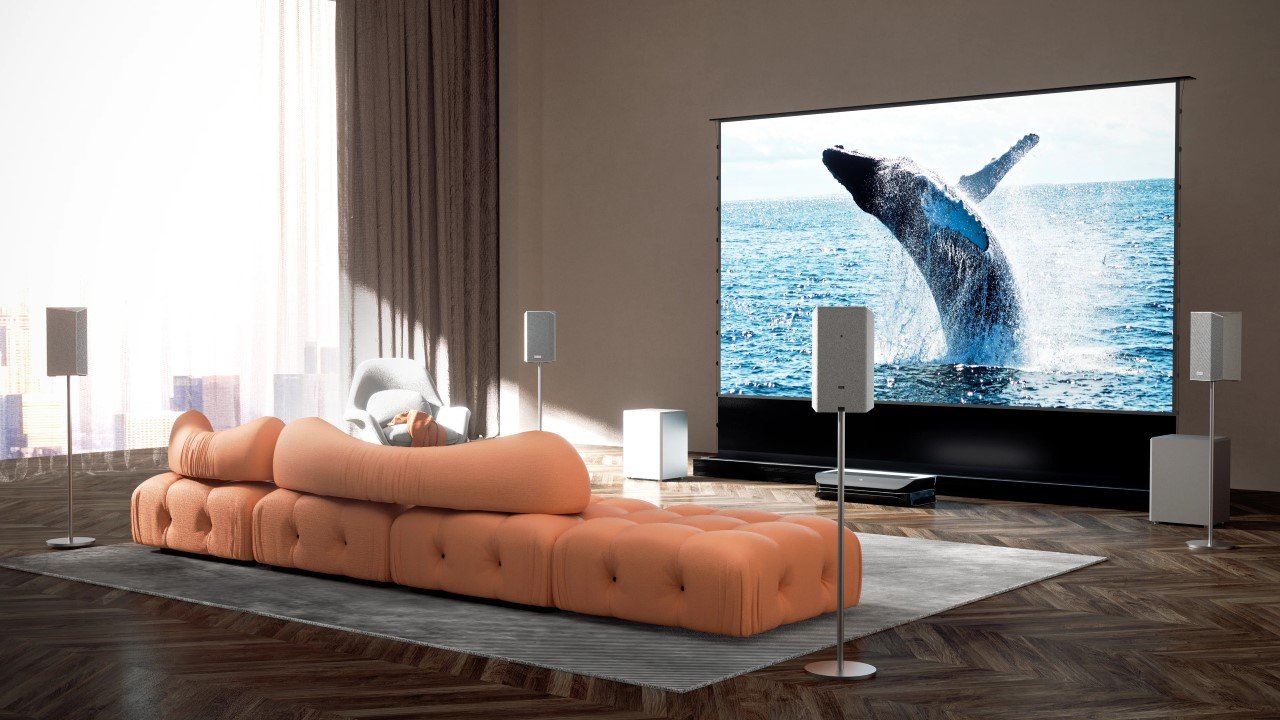
A home theater is more than just a TV and speakers—it’s an immersive experience that brings movies, gaming, and live sports to life. Whether you’re looking to replicate a cinema experience or create a high-performance entertainment space, setting up your home theater requires careful planning. Choosing the right display, optimizing the audio, arranging seating for comfort, and managing lighting all play a crucial role in delivering the best viewing experience. This guide will walk you through each step to help you design the perfect home theater setup.
Choosing the Right Display for Your Space
Your home theater’s display is the heart of your setup. While large-screen TVs remain a popular choice, projectors have become the go-to option for a true cinematic feel. A laser projector is an excellent choice due to its high brightness, sharp image quality, and long lifespan. Unlike traditional lamp-based models, laser projectors require little maintenance and offer better color accuracy over time.
Screen size is another factor to consider. The ideal screen size depends on how far you’ll be sitting from the display. The general rule is that your screen’s width should be roughly one-third of the viewing distance. For instance, if your seating area is 10 feet away, a 100-inch screen offers a comfortable viewing experience.
For those with limited space, an ultra short throw laser projector is an excellent solution. Unlike traditional projectors that need several feet of distance, UST projectors can produce a massive image from just a few inches away from the wall. This eliminates the need for ceiling mounts and allows for a sleek, space-efficient setup.
Creating a Powerful Surround Sound System
A great home theater isn’t just about stunning visuals—it’s also about immersive sound. Investing in a high-quality audio system can make a huge difference in how you experience movies and games. A traditional 5.1 or 7.1 surround sound setup consists of a center channel, left and right front speakers, surround speakers, and a subwoofer.
Positioning your speakers correctly enhances their performance. The front speakers should be at ear level when seated, with the center channel placed directly below or above the screen for clear dialogue. Surround speakers should be positioned slightly behind the seating area to create an immersive effect. If you’re looking for a simpler setup, high-end soundbars with Dolby Atmos can simulate surround sound without multiple speakers.
Another key consideration is room acoustics. Hard surfaces like glass and hardwood floors can cause sound reflections and echo, while soft materials like carpets, curtains, and acoustic panels help absorb excess noise. Investing in some basic acoustic treatments will improve clarity and create a more balanced audio experience.
Optimizing Seating for Comfort and Viewing Angles
The best home theater setups prioritize comfort. Seating arrangement is essential for both viewing angles and sound distribution. The ideal viewing angle is between 30 to 40 degrees from the screen’s center, ensuring that every seat has a clear line of sight. If you’re designing a multi-row setup, consider using risers to elevate the back row for an unobstructed view.
Reclining theater chairs are a popular choice for home theaters, offering premium comfort with features like adjustable headrests and built-in cup holders. If space is limited, a sectional sofa or media lounger can also work well while maintaining a cozy atmosphere.
Lighting plays a crucial role in comfort as well. Overhead lighting should be dimmable to reduce glare while watching movies. Adding LED bias lighting behind the screen can also enhance contrast and reduce eye strain, creating a more immersive experience.
Managing Cables and Components for a Clean Setup
A clutter-free home theater not only looks better but also improves functionality. With multiple devices like AV receivers, gaming consoles, streaming devices, and Blu-ray players, cable management can quickly become a challenge. Using cable raceways or in-wall conduits keeps wires organized and out of sight. If you have a dedicated media cabinet, neatly arranging your components with proper ventilation prevents overheating and ensures smooth performance.
Smart home integration can also streamline your setup. Universal remotes, voice-controlled assistants, and smart home automation systems allow you to control your entire theater with a single command. With the right setup, you can dim the lights, power up your laser projector, and start your movie—all with one press of a button.
Final Adjustments and Calibration
Once everything is set up, it’s time to fine-tune your home theater for optimal performance. Start by calibrating your display settings. Many projectors and TVs come with preset modes like “Cinema” or “Movie” that enhance color accuracy, but manually adjusting brightness, contrast, and sharpness can yield even better results.
For audio calibration, use your AV receiver’s built-in microphone to measure speaker levels and adjust delays for a balanced surround sound experience. If your system lacks auto-calibration, manually tuning the speaker distances and output levels ensures that sound reaches your seating area at the right time and volume.
Finally, test your setup with different types of content. Play an action movie to check bass response, a dialogue-heavy scene to ensure clarity, and a video game to assess motion smoothness. Making these final tweaks will help create the best possible experience in your home theater.
Conclusion
Setting up a home theater requires careful planning, but the result is a personalized entertainment space that rivals a commercial cinema. From choosing the right display—whether it’s a large-screen TV or an ultra short throw laser projector—to optimizing sound, seating, and lighting, every detail contributes to an immersive experience. With proper cable management, smart home integration, and final calibration, your home theater will be ready to deliver countless hours of entertainment.
Investing in a well-thought-out setup ensures that whether you’re watching blockbuster films, playing video games, or enjoying live sports, your home theater provides the ultimate viewing experience.
