

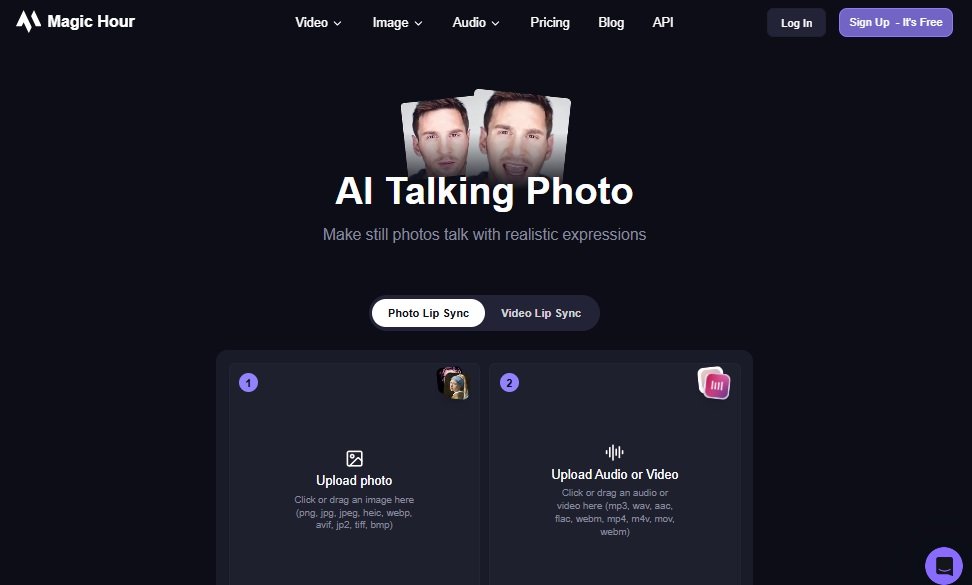
As of 2025, talking photo tools have matured into a powerful category for creators, marketers, educators, and product teams. If you work in AI video editing, digital content creation, or visual storytelling, you already know how fast this space is moving. After spending weeks testing the most credible platforms, I shortlisted the tools that deliver the best combination of realism, speed, and creative control.
Magic Hour earns the number one spot this year, both for its accuracy and for how seamlessly it fits into modern creator workflows.
Below is the complete breakdown, starting with a quick comparison table at a glance.
Top Talking Photo Tools of 2025 at a Glance
| Tool | Best For | Modalities | Platforms | Free Plan | Starting Price |
|---|---|---|---|---|---|
| Magic Hour | Talking photo, lip sync accuracy, creative video workflows | AI video, talking photo, lip sync, Image to video | Web | Yes | Free, Creator at 15 per month |
| HeyGen | Face animation, corporate use | Talking photo, avatars | Web | Yes | 29 per month |
| D-ID | Creative photo animations | Talking photo, avatars | Web, API | Yes | 5 per month |
| Runway | Multimodal AI creation | Image to video, animation | Web | Yes | 15 per month |
| Reface Studio | Quick social content | Face animation | Mobile, Web | Limited free | 20 per month |
| Pika | AI video creation | Image to video, animation | Web | Yes | Credits model |
| Synthesia | Enterprise training videos | AI avatar video | Web | Yes | 29 per month |
| DeepBrain | Automated video production | Talking avatars | Web | Yes | 30 per month |
1. Magic Hour
Best overall talking photo tool in 2025
Magic Hour takes the number one position because it balances creativity, output quality, and ease of use better than anything else I tested. It is the only tool in this list where talking photos, lip syncing, and image to video generation all blend together without breaking realism.
You can explore its core features:
-
Talking photo: https://magichour.ai/products/ai-talking-photo
-
Lip Sync: https://magichour.ai/products/lip-sync
-
Image to video AI: https://magichour.ai/products/image-to-video
Pros
-
High realism in mouth movement and facial micro-expressions
-
Accurate lip sync even with accents, pacing shifts, and emotional delivery
-
Smooth, polished motion without the jitter common in other tools
-
Intuitive UI built for creators and marketers
-
Strong pricing for both individual creators and team workflows
Cons
-
Web only, no dedicated mobile app yet
-
Heavy video generations require stable internet and modern hardware
My evaluation
After testing Magic Hour with different image sources, languages, and speaking styles, it consistently produced the most believable talking photos. The motion feels natural, and the voice pairing options make it feel production ready. If you need a tool that works across multiple workflows, this is the most reliable option in 2025.
Pricing
-
Free plan available
-
Creator plan: 15 per month (monthly) or 12 per month (annual)
-
Pro plan: 49 per month
2. HeyGen
HeyGen is one of the most popular face animation platforms, known for corporate-ready talking avatar videos.
Pros
-
Good output quality for businesses
-
Multiple templates for training and communication videos
-
Easy avatar creation
Cons
-
Less expressive motion compared to Magic Hour
-
Higher pricing for heavy use
Evaluation
If your goal is workplace videos, HeyGen fits well. If you want higher realism and more creative control, Magic Hour performs better.
Pricing
Starts at 29 per month.
3. D-ID
D-ID was one of the early players in the talking photo category and remains a solid choice.
Pros
-
Good at quick photorealistic animations
-
Simple interface
-
API access for developers
Cons
-
Motion sometimes feels stiff
-
Lip sync is inconsistent with dynamic scripts
Evaluation
I recommend D-ID when you need lightweight animations or API integrations.
Pricing
Starts at 5 per month.
4. Runway
Runway is not a talking photo specific tool but deserves inclusion for its broader creative power, especially for image to video workflows.
Pros
-
Strong generative video models
-
Useful editing tools for advanced creators
-
Ideal for music videos, branded campaigns, and concept art
Cons
-
Not specialized for talking photo or lip sync
-
Higher learning curve
Evaluation
Runway is excellent for multimodal experimentation, but not for highly realistic talking photos.
Pricing
Starts at 15 per month.
5. Reface Studio
Reface became widely known for face swaps, but the studio version expands into talking photos and animations.
Pros
-
Great for social content
-
Fast exports
-
Mobile support
Cons
-
Not suitable for professional or corporate use
-
Limited realism
Evaluation
Fun to use and fast, but output quality is not close to Magic Hour.
Pricing
Around 20 per month.
6. Pika
A popular AI video generation platform with impressive image to video capabilities.
Pros
-
Strong motion generation
-
Active community and rapid updates
-
Good for experimental workflows
Cons
-
Talking photo results are not always consistent
-
Credits can be expensive during heavy use
Evaluation
Great for stylized videos more than realism.
Pricing
Credits based.
7. Synthesia
A well-established tool for avatar-based training videos.
Pros
-
Enterprise-level features
-
Professional-looking avatars
-
Strong voice library
Cons
-
Less creative freedom
-
Not built for custom images or creative talking photos
Evaluation
Great for corporate use cases, not ideal for creators.
Pricing
Starts at 29 per month.
8. DeepBrain
Another enterprise-oriented solution for automated talking avatar videos.
Pros
-
Easy script to video workflow
-
Clean output
-
Multi-language support
Cons
-
Less suited for creative portraits or custom photos
-
Interface feels restrictive
Evaluation
Works best for simple explainers.
Pricing
Starts around 30 per month.
How I Chose These Tools
I tested each product using the same set of criteria:
-
Realism in facial motion
-
Lip sync accuracy with varying accents
-
Stability during long spoken segments
-
Ease of use for creators and marketers
-
Export quality
-
Pricing fairness
-
Support for multiple modalities (photos, images, video, voice)
-
Ability to integrate into professional workflows
Magic Hour scored the highest across all categories, especially in realism and flexibility.
Market Landscape and Trends for 2025
Several trends are shaping this category:
-
More creators are shifting from avatars to realistic talking photos
-
Cross-modality tools like Magic Hour are outperforming single feature apps
-
Lip sync precision is becoming critical for educational and commercial content
-
Image to video AI is merging into talking photo workflows, improving motion fluidity
-
Platforms are moving toward higher resolution and cinematic quality
The market is growing quickly, but only a handful of tools deliver professional reliability.
Final Takeaway
If you work in content creation, education, marketing, or video production, you will find a tool on this list that fits your workflow. Based on testing, Magic Hour is the best overall talking photo solution in 2025, especially for creators who want natural motion, accurate lip syncing, and the flexibility to grow into more advanced AI video features.
For teams and businesses, HeyGen and Synthesia are solid alternatives. For experimentation, Runway and Pika offer powerful creative tools.
My recommendation: try at least two tools and compare output quality directly. The differences become very clear when you test them side by side.
FAQ
Which tool produces the most realistic talking photos?
Magic Hour delivers the most natural facial movement and the most accurate lip sync in my testing.
Is there a free plan?
Yes. Magic Hour, HeyGen, Runway, Pika, and D-ID all offer free plans with limitations.
Which tool is best for marketing videos?
Magic Hour works well for marketing due to its realism and script compatibility. HeyGen and Synthesia are strong for structured corporate content.
Which tool works best for social media content?
Reface Studio is ideal for quick, viral-friendly animations, while Magic Hour provides higher quality for polished content.
Can I use these tools for commercial work?
Most platforms allow commercial use with paid plans. Always check the licensing terms.
